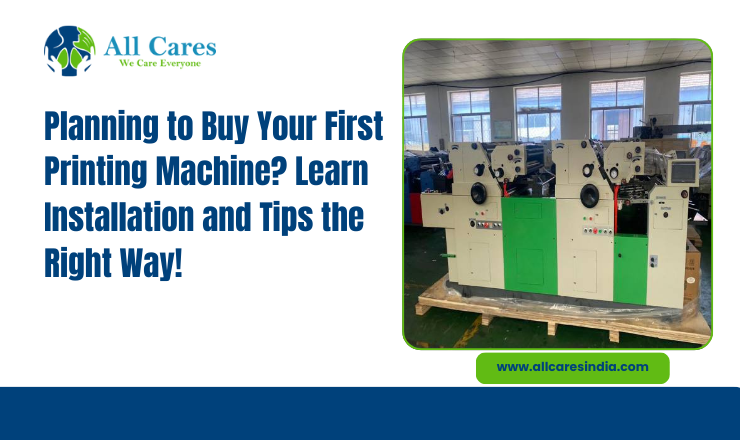
Any business, new or old, when proceeds to buy any printing machine, crosses a milestone. You might be in any kind of business- bag printing, offset printing, or any other type of printing sector; for many many new investors and buyers, the excitement of reaching a milestone can turn into anxiety when it comes to installing the machine. Printing Machine are expensive and in order for you to get a good ROI, you must ensure the machines are properly installed after procurement so that there is no repair cost. (in case the machines are not properly installed).
This blog will take you through the step-by-step procedure on how to properly install and calibrate your new printing machine, ensuring you put the right foot forward.
Unpacking and Inspecting Your Machine
Before you start using your machine, you should carefully unpack the machine and inspect it. You will be provided with a manual by the manufacturer when you buy a new printing machine.
Checklist for this step:
- Unpack carefully
- Inspect the machine for visible damages
- Check that all the machine components are packed carefully.
- If you come across any missing or damaged part, report immediately to the supplier. Report any missing or damaged parts to the supplier immediately.
Pro tip: It is advised to take photos of the machine before you start using it. This proves to be helpful if the product is damaged in any sense and you have to claim damages later.
Choosing the Right Location for Installing the Machine
One of the basic first steps when you buy a machine is installing it at the right location.
Points to be noted:
- For proper balance, install the machine at a levelled surface.
- Ensure there is enough space around the machine allowing operators to move freely.
- Good lighting around the machine; this ensures proper inspection.
- If the machine produces heat, there must be proper ventilation.
- Always ensure proper voltage during the operation.
Please note that although often not taken care of, placing the machines at the correct location is important.
Assembling the Machine Components
Assembling machine parts is important. Here is how to do it.
Step-by-step approach:
- After you have placed the machine at a stable surface, the next step would require reading the manual carefully.
- Tighten the bolt but not too much.
- Ensure break free movements of rollers and belts.
Tip: Never rush the process. Even one loose component can result in machine damage later.
Connecting Power and Utilities
The next step includes connecting your machine with a power source.
Follow these steps:
- Know your machine voltage.
- To avoid electrical shocks, ensure proper grounding.
- No component should have a loose fitting.
Never power on the machine before verifying all connections. Safety first!
Initial Machine Startup
Now comes the part where you switch on the machine.
Follow the procedure step by step:
- The first step is of course, switching on the power supply.
- Check if the machine is making any kind of sound on starting.
- Before you start using the machine, you should run a trial mode.
- Understand how the control panel works.
This stage is crucial before you start the actual operation.
Calibration: Aligning for Perfect Prints
The next step is the calibration. Proper calibration ensures precision, consistent results and good quality prints. Not all printing machines are the same. Each machine has different calibration steps excluding some of the elements. They include:
a. Roller and Plate Alignment
- Ensure smooth rotation of rollers.
- The distance between 2 printing plates should be proper.
- The plate alignment should match the printing requirement.
b. Ink Flow and Pressure Settings
- To avoid smudges, adjust the ink flow rate
- Roller pressure should be maintained- it should not be too much, it should not be too little. You do not want light paints.
c. Speed and Feed Settings
- Machine speed should be set according to the type of the material (whether it is a screen printing machine, or a bag printing machine since there are many types).
- Before printing something crucial, do a trial print. This will give you an idea where the machine is lacking (if it is)
d. Test Prints
- Always run a few test prints on scrap material.
- Inspect each test print for clarity, alignment, and color consistency.
- Make incremental adjustments until prints meet your desired quality.
Tip: Keep a record of the details of your printing machines.
Training Operators
No machine can function properly if the operators do not know how to handle it. All operators should be trained in:
- Proper machine operation.
- Proper handling of substrates.
- Troubleshooting problems.
- Emergency training during the downtime.
Well-trained operators contribute to extending machine lifespan.
Regular Machine Maintenance
Set a maintenance schedule.
Identifying Common Problems
Even after the installation and calibration, new buyers may come across minor issues. Some of them are as follows:
- Ink smudges or uneven prints- Check if the ink flow is appropriate.
- Jamming of substrate → Check for roller tension
- Electrical glitches → Ensure proper wiring
- Vibration or noise → Check whether the bolts are right.
Early detection of these problems can prevent breakdowns.
Maximizing Your Machine’s ROI
As a buyer of a Printing Machine, your goal must be to ensure smooth business operations as well as guarantee maximum ROI. This is what a well set up machine does:
- Minimises material wastage
- Minimizes downtime and thus, the maintenance costs.
- Gives consistent print quality every time.
- Extends the machine's life.
Spend Smart With All Cares- Your Trusted Procurement Partner
Remember that it is not only about buying a machine. You should also be aware about how to properly install and calibrate your machine for consistent output and huge ROI.
If you are planning to buy a new screen printing machine, bag printing machine or any other type for your industrial setup, All Cares- the most trusted Printing Machine Manufacturer in India, is just the platform for you. They not only provide the best-quality products but also provide much needed after sales services.